.svg)

.svg)


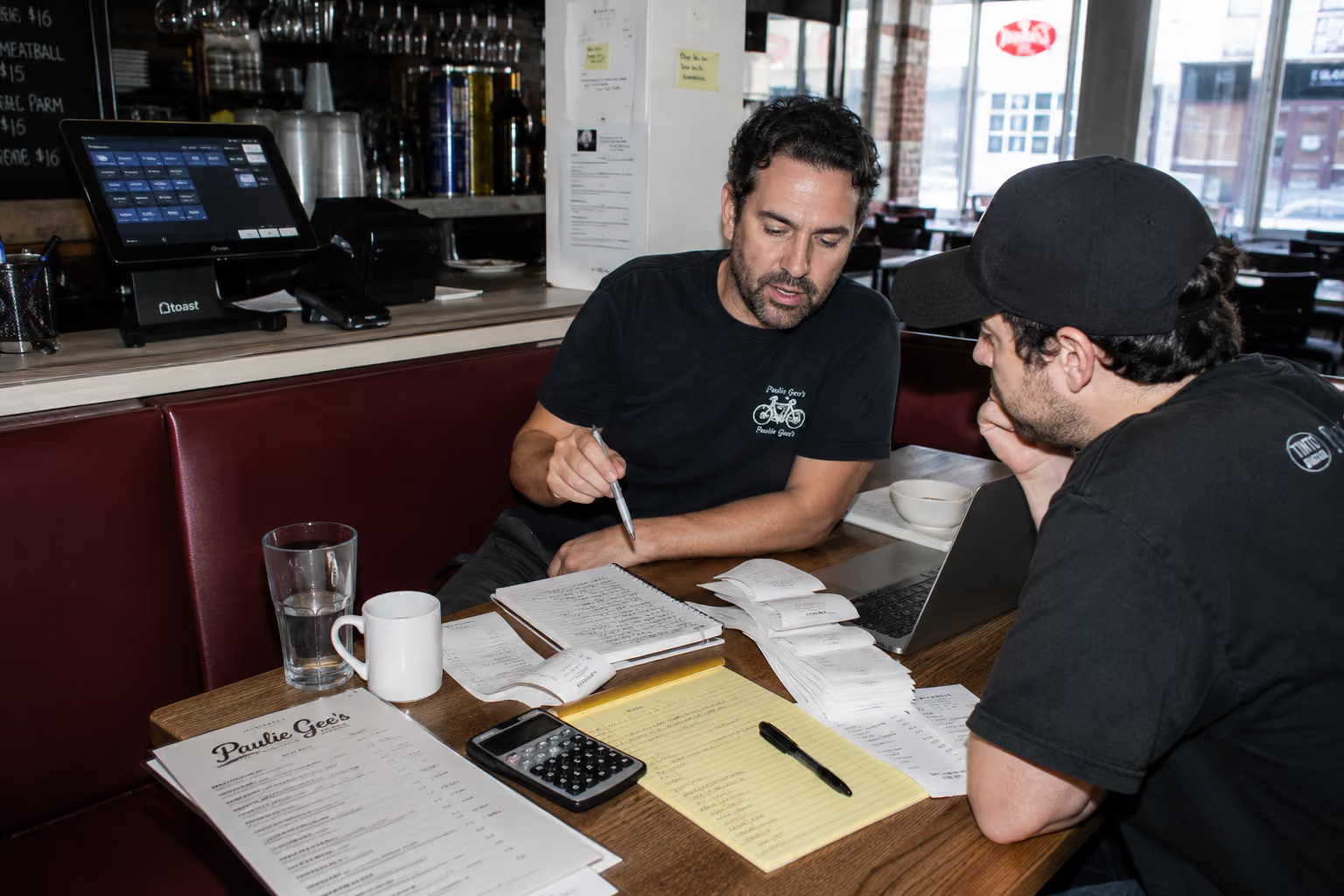
The best POS for your restaurant has nothing to do with how many features the sales rep can rattle off. In the end it only comes down to whether the system actually fits how your kitchen works, how your staff moves, and how your customers pay. Get that wrong, and you're paying for complexity you'll never use while missing the basics you need every shift.
This guide for 2026 cuts through the noise. I'm giving you my actual shortlist, the systems I'd consider if I were opening a new location tomorrow, with the real trade-offs I'd weigh for each one.
What is a restaurant POS system?
A restaurant point of sale (POS) system is the central hub where all aspects of your business converge. It's far more than a cash register. A modern POS handles transactions, tracks sales, manages inventory, organizes kitchen tickets, and records customer data.
For restaurants, these systems are tailored to handle complex orders with modifiers, manage table layouts, split checks, and integrate with kitchen display systems (KDS). Choosing the right one is critical because it forms the operational backbone of your entire establishment.
Why chasing features won't find your restaurant the right POS
The wrong way to pick a POS is to compare feature lists like you're shopping for a laptop. The right way is to match the system to your menu complexity, your counter flow, and your growth plan. When we expanded from two locations to eleven, I mistakenly thought we needed one POS to rule them all. Our brewery needed table management, our takeaway counter needed speed, and our catering kitchen needed batch prep scheduling. Forcing one system on all three meant every location was compromised.
Here's what I wish someone had told me: a POS is infrastructure, not a feature race. You're buying the backbone of how orders flow from the guest to the kitchen to your bank account. If that flow doesn't match your operation, every shift becomes a struggle. Your staff will find workarounds, tickets will slow down, and managers will waste hours reconciling reports.
The best POS for a 12-seat ramen counter is not the best for a 200-seat steakhouse. Before you look at any system, get clear on your needs. How complex is your menu? What does your service style demand? Where do you see your business in three years? Answering these questions is the first step in choosing the right restaurant technology. Get clear on your operational reality, and the shortlist writes itself.
How I judge a restaurant POS: My 5 non-negotiable criteria
A great restaurant POS must master five key areas. If a system fails on even one, you'll feel the pain during every single shift.
Here's my checklist for what truly matters.
- Menu and modifier handling: Can the system handle a 120-item menu with nested modifiers and custom notes without slowing down your staff? Can it route allergy alerts correctly? I've seen kitchens lose 30 seconds per ticket because a POS couldn't group modifiers logically. That's over an hour of wasted labor on a busy night.
- Kitchen workflow (KDS): A good KDS can cut ticket times by 20-30%. Can the POS route appetizers to one screen and entrees to another? Can it course tickets so the kitchen fires mains only after the app is cleared? These details determine if your kitchen runs smoothly or constantly backs up.
- Payment processing economics: Restaurant margins are thin, often 3-9%. A 1% difference in processing fees can mean thousands of dollars a year. You need to know the all-in cost: software fees, hardware costs, processing rates, and any hidden fees for chargebacks or PCI compliance. Get the full breakdown in writing.
- Hardware fit and durability: Restaurant hardware takes a beating from heat, grease, and constant use. Is the terminal reliable? Is it proprietary, or can you easily replace a broken part on a Friday night? A dead terminal can cost you thousands in lost sales.
- Contract flexibility and support: What's the contract term and early termination fee? More importantly, when something breaks at 6 p.m. on a Saturday, can you reach a human who can help? The best POS is useless without reliable support. This is a key part of how restaurants use AI and tech to automate orders and other processes effectively.
Can I switch POS systems easily if my business needs change?
It depends on your contract. Systems like Square offer month-to-month billing, making it easy to switch. Others, like Toast or those sold by Clover resellers, often require 2-3 year contracts with significant early termination fees. Before signing anything, understand your exit options. If you're a new business with an uncertain future, prioritize flexibility.
When is Toast POS the right choice?
Toast is the best POS for full-service restaurants, multi-location operators, and any kitchen needing deep KDS integration and robust reporting. It's built for restaurants first, not adapted from retail, and it shows.
- Best for: Full-service, multi-location groups, and restaurants with deep KDS needs.
- Strengths: Toast's power is its restaurant-native design. Table management, coursing, and split checks work intuitively. Its KDS integration is mature, allowing you to route tickets by station and course items automatically. The reporting is strong, letting you track sales by item, server, and daypart in real time. The hardware is durable and purpose-built for the chaos of a kitchen.
- Watch-out: The trade-off is cost and commitment. You're locked into Toast's hardware and payment processing. Rates typically range from 2.49% to 2.99% plus $0.15 per transaction. While they offer "$0 down" plans, those come with higher processing rates and long-term contracts with cancellation fees. It's a great system, but be ready for the commitment.
Toast is the right call when your operation is complex enough to justify the investment. I go deeper on the real monthly bill in my Toast POS review.
What are the benefits of Square POS?
Square for Restaurants is the best POS for new restaurants, quick-service concepts, cafes, and food trucks. It offers a genuinely functional free starter tier, transparent flat-rate pricing, and the fastest DIY setup in the industry.
- Best for: New restaurants, QSR, cafes, food trucks, and hybrid retail-food concepts.
- Strengths: Square's main advantage is accessibility. You can download the app, connect a reader, and start taking orders in under an hour. The free plan is solid, and paid plans add advanced features without requiring a long-term contract. Processing is a flat 2.6% + $0.10 for in-person transactions. The interface is clean, staff training is minimal, and the hardware is affordable and non-proprietary.
- Watch-out: Square is thinner for complex, full-service operations. Its table management and KDS features are functional but less robust than Toast's, especially for larger restaurants. If you're running a 100-seat dining room with complex coursing, you'll feel the limits. For a 20-seat cafe, it's perfect. These two come down to the same decision for most operators, so I put them side by side in my Toast vs Square comparison for independents.
Square is ideal when you want to minimize upfront cost and value flexibility above all else.
Clover POS breakdown: The app-driven system for counter-service and retail-heavy operations
Clover is the best POS for counter-service restaurants, retail-heavy food businesses, and operators who want to customize functionality through an app marketplace.
- Best for: Counter-service, retail with a food component, and businesses needing diverse hardware.
- Strengths: Clover's strength is its versatility and hardware range. Because it's not just for restaurants, it handles retail and food service equally well. Its app marketplace is extensive, letting you add loyalty programs, advanced inventory, and other features. The hardware is sleek and includes great options for customer-facing displays, which is perfect for counter-service.
- Watch-out: The sales model is a major watch-out. Clover is often sold through third-party resellers or banks, so contract terms, fees, and processing rates vary wildly. You must read the fine print carefully, as some resellers lock you into long contracts with steep termination fees. The system is flexible, but the deal you get depends entirely on who sells it to you. For more details, see this Clover vs Square breakdown.
Clover works well if you're comfortable negotiating and need a system that blends retail and food service.
When to choose Skytab (now Shift4 Dine)?
Skytab, now part of Shift4, is the best POS for budget-conscious operators who want to avoid significant upfront hardware costs. It offers a full-featured restaurant POS with free or low-cost hardware.
- Best for: Budget-conscious operators wanting to minimize upfront hardware investment.
- Strengths: The value proposition is Skytab's biggest strength. You get a complete system, often with no upfront hardware cost, for a low monthly software fee. The feature set is solid, with online ordering, reservations, and menu management built in. The interface is straightforward, and setup is quick.
- Watch-out: This deal requires a long-term commitment to Shift4 for payment processing, typically a 36-month contract. You can't shop around for better rates. As a newer player compared to Toast or Square, its integration ecosystem is also less extensive. You're betting on a newer platform in exchange for upfront savings.
Skytab makes sense if minimizing initial cash outlay is your top priority and you're comfortable with a long-term processing contract. To learn more, read our detailed Skytab POS Review.
What's the real difference between a free POS and a paid one?
The main difference is feature depth and scale. Free POS plans, like Square's, are excellent for getting started. They cover basic order taking and payments. Paid plans unlock advanced features you need as you grow, such as in-depth reporting, advanced inventory tracking, multi-location management, and dedicated customer support. A free POS gets you in the game, but a paid POS helps you run a more complex business efficiently.
The hidden cost every POS guide misses: Who answers your phone?
Every POS on this list handles walk-in and online orders. None of them answer your phone. This is the gap that costs restaurants the most money, and it's the one every POS guide skips. Restaurants miss up to 43% of incoming calls, especially during peak hours. That's not just a missed call, it's a lost order.
Gold Coast Kitchen was losing roughly $30,000 a month in missed calls before they fixed it. When a customer calls and gets a busy signal or voicemail, they call your competitor. This is the expensive reality of relying on IVR systems or busy staff to handle calls.
This is where Certus AI comes in. Our AI phone agent works with all major POS systems, including Toast, Square, Clover, and Skytab. It answers 100% of your calls 24/7, takes orders in English and Spanish, and the AI connects to your POS just like a server entered them. Your staff doesn't touch the phone. The system handles complex orders, answers allergy questions, and even upsells. It's the key to reducing phone wait times with 24/7 call handling.
You close the revenue gap your POS can't fill.
Match your POS to your kitchen, then close the phone gap
Choosing the right POS is about fitting the technology to your operational reality, not the other way around. Once you've nailed that, the next step is to plug the biggest revenue leak in your restaurant and get a restaurant voice AI.
Here is a quick verdict to help you decide:
| POS System | Best For | Watch-Out |
|---|---|---|
| Toast | Complex, full-service, multi-location | Higher cost, locked-in processing, long contracts |
| Square | New concepts, QSR, food trucks, flexibility | Thinner features for complex full-service |
| Clover | Counter-service, retail/food hybrid | Inconsistent pricing/terms from resellers |
| SkyTab | Minimizing upfront hardware costs | Long-term processing contract required |
After you've chosen the system that runs your floor, let Certus AI handle your phone. Stop losing orders and start capturing every dollar of demand.
Ready to see how an AI phone agent can recover thousands in lost revenue for your restaurant?
Book a demo with Certus AI today.

.svg)
.svg)
.svg)
.svg)