.svg)

.svg)


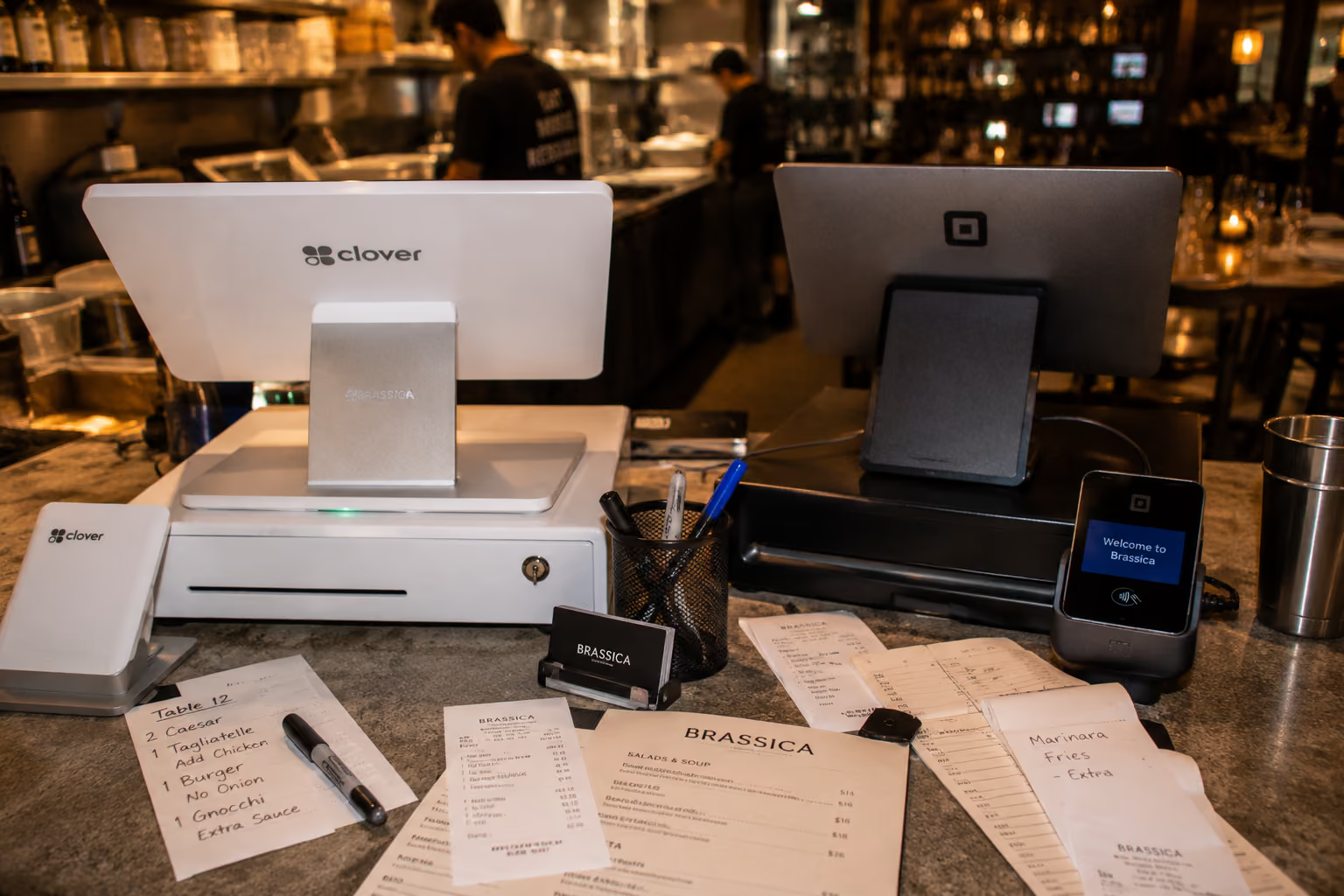
When I was running our family's restaurants, from the takeout place to the brewery, choosing a POS felt like picking a new oven. This might sound strange at first, but think about it: You look at the features, the price tag, and hope it works. But what nobody tells you upfront is that the real cost isn't on the invoice. It's hidden in the fine print of your processing fees, a lesson that shows why operational efficiency is key to success.
By the time I was managing our 11 locations, I realized we were losing revenue at scale by focusing on the wrong things. We chose POS systems based on software fees, not the processing rates that cost us thousands over time.
If you're weighing Clover vs Square for your restaurant, you're probably doing the same thing I did. You're comparing feature lists and sticker prices. But the real question isn't which system has more bells and whistles. It's which one fits your actual operation and won't quietly drain your margins through fees you didn't scrutinize. This is our operator-first POS-comparison for 2026.
Key takeaways
- Don't just look at the sticker price when choosing a POS; processing rates can cost you far more over time than monthly software fees.
- Understand how Clover is sold through banks and resellers, which means rates and terms vary wildly depending on who sold it to you.
- Prioritize a system that fits your operational flow, then address the phone gap that neither POS solves.
- Close the revenue gap from missed calls with an AI phone agent that integrates with your chosen POS.
What are the differences between Clover and Square?
Square and Clover are two of the most popular POS systems, but they operate on different models.
Square offers a direct, transparent, do-it-yourself approach with public pricing, making it great for new or simple operations.
Clover uses a reseller model through banks, offering more hardware and customization but with variable pricing and contracts. This distinction affects everything, from your rates to your contract terms.
Key comparison points for independent kitchens
Here's how the two systems stack up across the factors that actually matter when you're running a kitchen.
| Factor | Square | Clover |
|---|---|---|
| Target User | New restaurants, cafes, food trucks, hybrid retail/food | Established restaurants, higher-volume operations, retail-heavy concepts |
| Distribution | Direct from Square, DIY setup | Banks, resellers, merchant service providers (Fiserv) |
| Software Cost | Free starter tier, Plus plan $60/month | $14.95–$89.95/month (varies by reseller and plan) |
| Hardware | Minimal, mobile-first (runs on iPad), $49–$799 | Proprietary hardware (Mini, Flex, Station), $799–$1,899+ |
| Processing Model | Flat-rate, public pricing | Variable, depends on reseller (flat-rate or interchange-plus) |
| Processing Rate | 2.6% + $0.10 in-person (free plan) | 2.3% + $0.10 direct, varies widely with resellers |
| Rate Flexibility | None (public rates) | High (negotiate with reseller) |
| Contract | No long-term contract, month-to-month | Often 36–48 months with resellers, early termination fees possible |
| Offline Mode | Yes, up to 24 hours | Yes, up to 24 hours |
| Restaurant Features | Menu management, basic table layouts (Plus plan), inventory, reporting | Menu management, table layouts, inventory, employee management, robust reporting |
| App Marketplace | Strong ecosystem, integrates with Square Marketing, Payroll, etc. | Very large marketplace, extensive third-party integrations |
Make sure to also read our comparison of Toast vs Square POS. I've also written a full Clover POS review and Square POS review if you want the deeper cost breakdowns.
The advantages of Square POS for new and nimble restaurants
Square is a top choice for new and nimble restaurants because of its simplicity, transparent pricing, and fast setup. With a free starter plan and no long-term contracts, it allows operators to start taking payments immediately with minimal upfront cost. This makes it ideal for food trucks, cafes, and pop-ups where budgets are tight and speed is essential.
Square's strengths: Simplicity, transparency, and quick setup
Square's biggest advantage is transparency. The processing rates are publicly listed on their website, and they're the same for everyone. You pay 2.6% + $0.10 for in-person transactions on the free plan. No negotiation, no surprises.
The hardware is minimal and affordable. You can run Square on your own iPad, keeping upfront costs low. A basic card reader is $49, while a full terminal is $299. This is a fraction of the cost of Clover's proprietary hardware. Setup is fast, often taking less than an hour, and the interface is intuitive enough to train new staff in minutes.
Square is ideal for:
- New restaurants testing a concept
- Coffee shops and bakeries with simple menus
- Food trucks and pop-ups
- Counter-service models where table management isn't critical
- Hybrid retail/food businesses
When to use Clover POS: Hardware, app marketplace, and established presence
Established restaurants often choose Clover for its versatile hardware options and one of the largest app marketplaces in the industry. From handheld devices for tableside ordering to robust countertop stations, the hardware can be tailored to specific operational needs. However, its reseller-based sales model means pricing and contract terms can vary widely.
Clover's advantages: Versatile hardware and a robust app ecosystem
The hardware variety is a major draw. A Clover Station Duo provides a customer-facing display and a staff-facing terminal in one unit, built for high-traffic environments. The Flex handheld lets servers take orders and payments tableside, speeding up table turns.
Clover's app marketplace is massive. You can find integrations for loyalty programs, accounting software, online ordering, and more. If you need a specific feature, there's likely an app for it. The catch is that Clover is sold through resellers, so your pricing, support, and contract terms are not standardized. A good reseller might offer a great rate, but a bad one can lock you into a long-term contract with hidden fees. Always read your merchant agreement carefully.
Why POS processing rates matter more than you think
Processing rates matter more than software fees because they are a percentage of every single transaction, making their long-term financial impact much larger. A small difference in your rate can add up to thousands of dollars per year, often dwarfing the fixed monthly cost of the POS software itself.
Understanding variable rates and long-term impact
If you process $50,000 in credit card sales per month, a 0.5% difference in your processing rate means $250 more (or less) in your pocket each month. That's $3,000 per year. Over a five-year contract, that's $15,000.
Square's flat rate is predictable. You know exactly what you're paying. Clover's rate depends on your reseller. Some offer interchange-plus pricing, which can be cheaper for high-volume businesses. Research shows that restaurants processing over $20,000 per month can save significantly with a competitive interchange-plus rate.
The trap is that not all resellers offer good rates, and their contracts can be long-term (36-48 months). The common mistake is focusing on a $60/month software fee versus an $89/month fee, while ignoring a processing rate difference that could save you $150/month. Always get the rate in writing and run the numbers for your business.
For more POS information, read the review of Skytab POS.
Can I switch from Clover to Square (or vice versa) easily?
Switching POS systems always involves some effort, mainly migrating menu data and retraining staff. Square generally has fewer contractual hurdles than Clover, which might involve breaking a contract with your reseller. Expect to spend 1-2 weeks on the transition.
The gap both POS systems leave: Your phone line at rush hour
Both Clover and Square fail to solve the problem of missed phone calls during busy hours, a major source of lost revenue for most restaurants. While these POS systems streamline in-house and online orders, they offer no solution for the phone ringing off the hook, forcing staff to choose between in-person guests and potential takeout orders. This is a core challenge in how restaurants use AI to automate orders and improve efficiency.
How Certus AI helps busy kitchens
This is where we come in. Certus AI is an autonomous voice system that answers your phone 24/7, takes complex orders, and never puts a guest on hold. The Voice AI integrates directly with POS systems, including Square, Clover, and Toast. Orders drop into your system just like a server entered them.
For example, Boardwalk Pizza captured over $70,000 in orders that would have been lost to missed calls and freed up 195 hours of staff time. The system takes orders in English and Spanish, handles custom modifications, and even upsells add-ons automatically.
We offer flat monthly pricing, same-day setup, and a 30-day money-back guarantee. The goal is to remove the impossible choice between serving the guest in front of you and answering the phone.
How to choose the right POS: A 5-question checklist for independent operators
To choose the right POS, you must look beyond features and evaluate how each system fits your specific operational needs, budget, and business model. Key factors include your menu complexity, hardware requirements, tolerance for long-term contracts, and, critically, your plan for handling phone orders, which neither POS addresses out of the box.
What does a POS need to help your restaurant?
- How complex is your menu? For simple menus, Square's free tier works well. For 100+ items with extensive modifiers, Clover's app ecosystem offers more flexibility.
- Who handles your processing? Do you want Square's simple, direct model or Clover's reseller model with more negotiating power but also more complexity?
- What's your hardware budget? Square is cheaper upfront and lets you use your own iPad. Clover's hardware is more robust and versatile but costs significantly more.
- What's your appetite for contracts? Square is month-to-month. Clover resellers often require 36-48 month contracts. If you value flexibility, Square is safer.
- How many calls are you missing? If you're losing 10-20 calls a day, that's thousands in lost revenue each month. A restaurant AI phone agent captures those orders automatically, no matter which POS you choose.
Pick the POS that fits your counter, then close the phone gap. Don't let an unanswered phone cost you thousands.
Book a demo with Certus AI today to see how our AI phone agent can capture every order and integrate seamlessly with your POS.
About Gurveer Singh
Gurveer Singh is the Co-Founder & CEO of Certus AI, a Y Combinator-backed company re-engineering the restaurant front of house. He grew up in his family's 11-location restaurant chain, learning the industry from a young age. Gurveer built Certus AI to solve the pervasive problem of missed calls and lost revenue, empowering restaurants to capture every order.

.svg)
.svg)
.svg)
.svg)