.svg)

.svg)


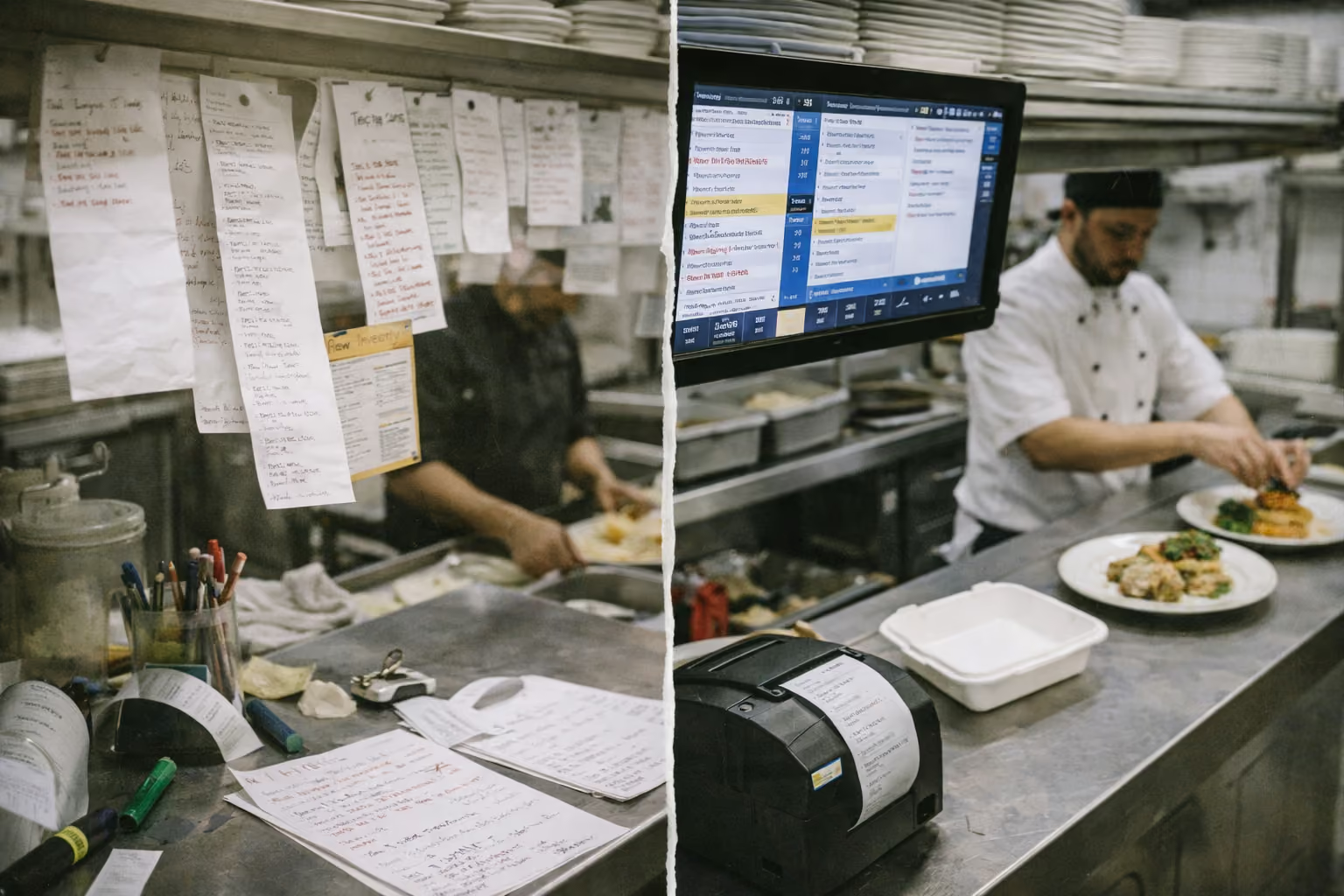
Your phone rings during the Friday dinner rush. A customer places a complex order with three modifications. Your server writes it down, walks to the POS, enters it manually, and sends it to the kitchen. The ticket prints. Someone in the kitchen reads the handwriting. They start cooking.
Fifteen minutes later, the order comes out wrong. The modification got lost somewhere between the phone, the notepad, the POS entry, and the kitchen ticket.
This happens at restaurants every single day. When systems don’t connect, staff have to pass tasks manually. Each handoff creates room for mistakes.
What does POS integration mean?
Nearly half of restaurant operators plan to replace or upgrade their POS systems in 2026, according to Hospitality Technology's study. The reason is simple. Disconnected systems cost money.
POS integration connects your ordering channels directly to your kitchen, inventory, and payment systems. Orders flow automatically from customer to kitchen without manual entry. Payments process without switching platforms. Inventory updates in real-time based on actual sales.
When systems talk to each other, information moves faster and more accurately than humans can type it.
How bad integration slows everything down
Walk into a busy restaurant with poor integration. You'll see staff running between systems.
Someone takes a phone order and writes it on paper. They walk to the POS and manually enter every detail. If online orders come in, those go to a separate tablet. Delivery platform orders arrive on yet another device. Staff check three different screens to see what the kitchen needs to make.
38% of restaurants face synchronization issues between POS, inventory, and accounting systems, according to market research. Data inconsistency affects reporting accuracy for 24% of operators.
These numbers reflect real problems: lost revenue, stressed staff, and incorrect orders reaching customers.
Every time work passes from one system to another, something can slip through. Jumping between tools takes time, and repeating the same entry again and again increases the chances of errors.
What good integration looks like
Orders from every channel arrive at one place. Phone orders taken by voice AI for restaurants go straight to the kitchen display. Online orders from your website show up on the same screen. Walk-in orders entered at the register appear instantly.
Your kitchen staff sees one unified queue. They don't care if the order came from a phone call, website, or delivery app. They just cook what's on the screen.
When an order goes out, inventory adjusts automatically. Your POS knows you're low on mozzarella before you run out. It alerts you to reorder. You don't discover shortages mid-service when a customer wants something you thought you had.
Payments are processed through one system. Customer credit card data stays secure. Transaction fees don't multiply across platforms. Reconciliation at the end of the day takes minutes instead of hours.
Restaurant automation trends in 2026 show operators moving toward unified platforms where everything connects seamlessly.
The workflow problem most teams overlook
When your systems connect properly, your restaurant runs more smoothly. Here’s how connected systems change the way a restaurant runs:
- Staff stops running between systems: Your host can seat tables while checking the kitchen capacity in real-time. Servers know what's 86'd without asking the kitchen. Managers see sales data without waiting for end-of-day reports.
- Training new employees gets easier: Instead of learning five different systems, they learn one. When everything works through the POS, there's less to remember and fewer places to make mistakes.
- Kitchen communication improves: Tickets arrive formatted consistently. Modifications show up in the right place every time. Special instructions don't get buried in notes. Timing suggestions help coordinate multi-course meals.
- Your inventory stays accurate: The POS knows what sold today. It tracks what you should have left. When numbers don't match, you catch theft or waste immediately instead of discovering it during quarterly inventory counts.
Speed matters during peak hours
The impact of a Restaurant Voice AI POS Integration shows most clearly during your busiest service. Friday night dinner rush. Saturday lunch. Super Bowl Sunday.
With bad integration, orders stack up. Staff scrambles to enter tickets manually. Systems lag. The kitchen gets backed up from uneven order flow. Customers wait longer. Mistakes increase.
With good integration, volume doesn't slow you down as much. Orders flow automatically, no matter how many people are calling or ordering online. The kitchen sees them immediately. Staff focus on cooking and serving, not data entry.
Table turnover improves by 29% when restaurants use mobile POS integrated with kitchen systems, according to industry data. Faster service means more customers served per hour. That's direct revenue impact.
How voice AI changes the integration equation
Phone orders create the most workflow friction. Someone has to answer, listen, write, and then enter the order into your POS.
Restaurant AI assistant technology handles this completely. The AI answers the phone, takes the order through conversation, and sends it directly to your POS. No writing. No manual entry. No lost details.
The order appears in your kitchen with perfect formatting. Modifications show up clearly. Payment processes during the call. Your staff never touches it.
It helps your team work faster by removing the bottleneck that slows them down during rushes.When staff don't spend time transcribing phone orders, they focus on the customers in front of them.
AI ordering systems working with existing restaurant tech stacks show how modern platforms connect with the POS systems restaurants already use.
The cost of bad integration most operators miss
You can see obvious costs. Staff time wasted switching between systems. Orders were remade because details got lost. Customer complaints about mistakes.
The hidden costs hurt worse. Lost customers who don't come back after bad experiences. Staff turnover from frustrating technology. Time managers spend reconciling conflicting reports instead of improving operations.
Restaurants want AI embedded into core systems to help guide decisions seamlessly according to a Nation's Restaurant News survey. But AI only works when data flows cleanly between integrated systems.
When systems don’t integrate properly, the data becomes unreliable. And when the data is unreliable, teams make decisions that quietly cost the business money.
What to look for in POS integration
Not all integration is equal. Some POS systems claim to integrate but require constant manual fixes.
Real integration means:
- Orders from any channel appear instantly in your kitchen without manual entry.
- Pricing and menu items sync automatically when you update them once.
- Inventory adjusts in real-time based on actual sales across all channels.
- Payments process through one secure system regardless of order source.
- Reports combine data from all channels without manual reconciliation.
Bad integration shows up as:
- Frequent sync failures requiring staff to manually re-enter orders.
- Different pricing showing on different platforms.
- Inventory numbers never match reality.
- End-of-day reconciliation taking hours.
- Customer complaints about orders not showing up.
Choosing the right restaurant voice AI means understanding how it integrates with your existing POS, not just how it takes orders.
Making integration work in your restaurant
Start by mapping your current workflow. Where do orders come from? How many systems handle them? How many times does information get manually entered?
Every manual step is an integration opportunity.
Phone orders written on paper then entered in POS? Integrate voice AI directly with your POS.
Online orders on a separate tablet? Connect your ordering platform to your POS.
Delivery orders on multiple apps? Use integration middleware that combines them into one stream.
The POS restaurant management system market will reach $3.6 billion by 2035, according to market analysis. This growth reflects restaurants demanding better integration, not just newer technology.
Fixing restaurant workflow with better POS integration
Improving integration doesn’t mean replacing your entire tech stack. Start with the biggest friction point.
If phone orders create chaos, use restaurant AI solutions that send orders straight to your POS. If inventory is always off, connect your POS to inventory software that updates automatically.
If reconciliation takes hours, integrate payment processing that consolidates transactions.
Start with one integration. Implement it properly. Measure the impact. Then move to the next issue.
Seamless POS integration removes manual steps where mistakes and delays happen. Orders move directly from customer to kitchen, payments process smoothly, and inventory updates are based on real sales. Staff spend less time entering data and more time serving customers.
Certus AI delivers this integration. The system connects with 45+ POS platforms, including Toast, Square, and Clover. Phone orders flow directly to kitchen displays, formatted exactly like staff-entered tickets. Setup takes five days without disrupting operations.
Stop losing revenue to manual processes and integration failures.
Book a free demo with Certus AI and see how seamless integration fixes restaurant workflow problems.

.svg)
.svg)
.svg)
.svg)